 AI Context Exporter
Chrome extension for AI users
Clean web page text for your AI chat
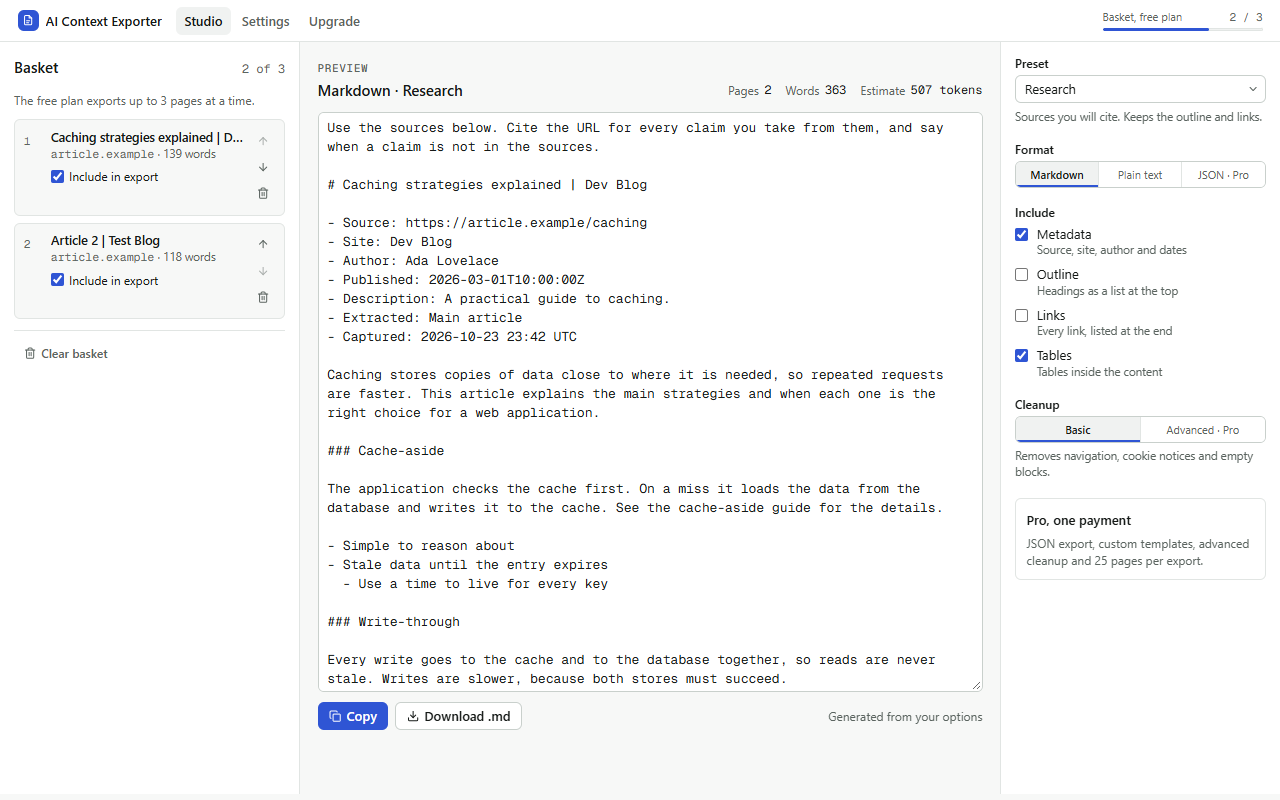
Stop pasting menus, cookie banners and footers into ChatGPT, Claude or Gemini. One click turns an article or documentation page into tidy Markdown, with an estimate of the tokens it will use. Everything is processed on your device.
How it works
From web page to AI-ready text in three steps
-
1
Click the icon on a page
The main content is read and cleaned: navigation, footers, scripts and cookie notices are removed; headings, lists, code, tables and links are kept.
-
2
Pick a preset and format
Research, summary, coding or writing, each with a short instruction you can edit. Markdown or plain text, or JSON on Pro.
-
3
Copy, or combine pages
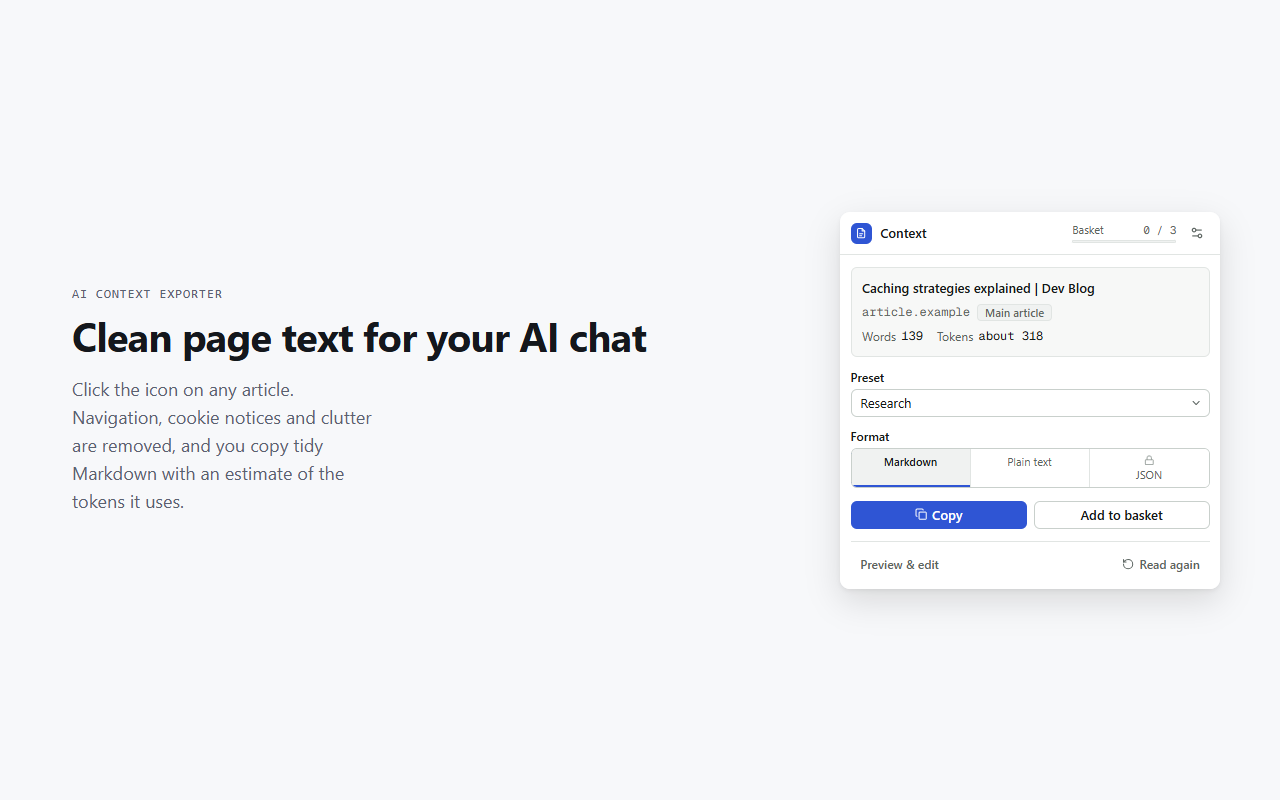
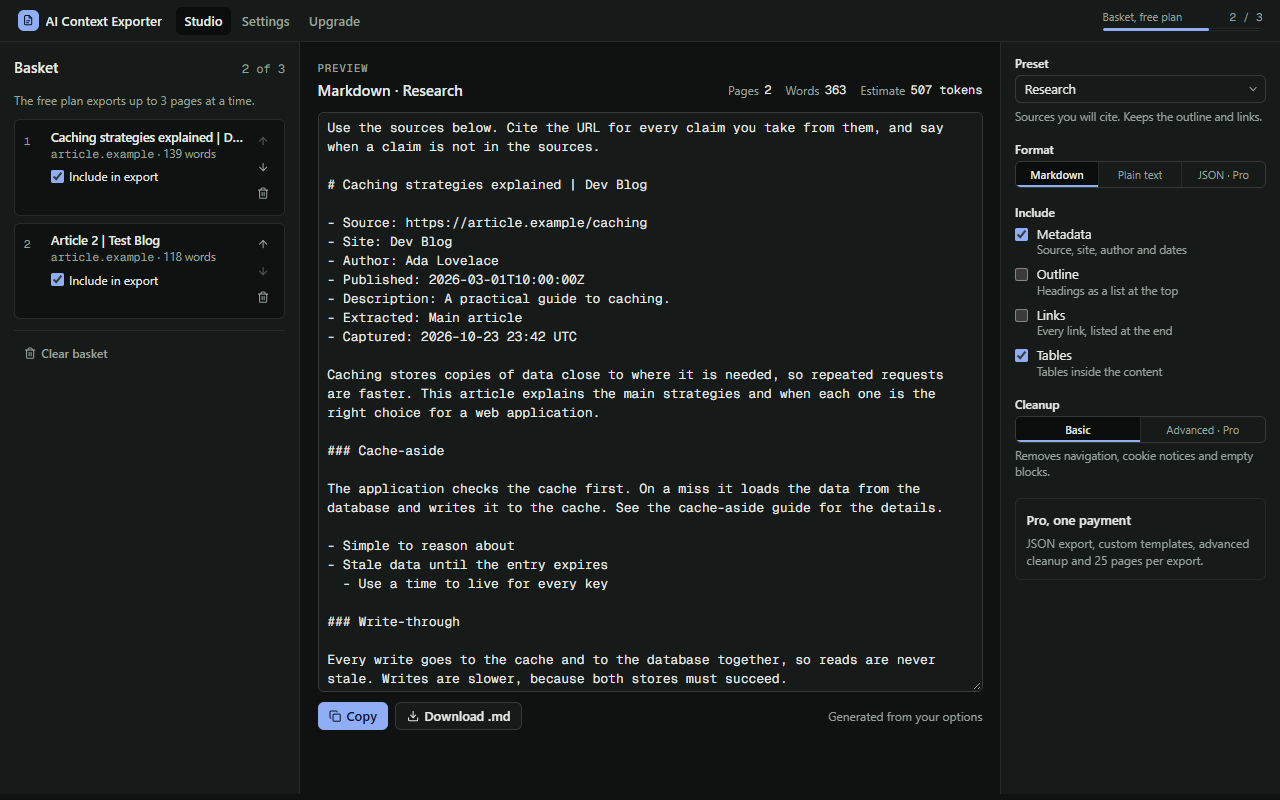
Copy straight away, or add several pages to the basket, reorder and edit them in the Studio, and copy them all as one.
Features
Built for the way you feed AI tools
Token estimate
See roughly how many tokens a page will use before you paste it, so it fits your model's limit.
Selection only
Select a passage first to export just that part.
Sections you choose
Switch the source details, a heading outline, a link list and tables on or off.
Edit before copying
Preview the result, fix anything by hand, then copy or download a .md file.
Private by design
Your pages stay with you
- Pages are read only when you click the icon, and only that tab. Nothing runs in the background.
- Everything is processed on your device. No page content is sent to any AI service or server.
- No account, no analytics, and the extension never reads your clipboard.
- The only network request is the licence check with Gumroad, if you buy Pro.
Pricing
Free to use. Pro once, for life.
The free plan handles single pages and small baskets. Pro is a single payment through Gumroad, with no subscription.
| Feature | Free | Pro |
|---|---|---|
| Pages per basket and export | 3 | 25 |
| Read the page or the selected text | ✓ | ✓ |
| Markdown and plain text | ✓ | ✓ |
| Research, summary, coding and writing presets | ✓ | ✓ |
| Token estimate, preview and edit | ✓ | ✓ |
| JSON export with structured headings and links | — | ✓ |
| Custom templates and saved presets | — | ✓ |
| Advanced cleanup: repeated text, your own removal phrases | — | ✓ |
FAQ
Questions
Does it send my pages to an AI?
No. It never contacts any AI service. It prepares the text on your device, and you paste it wherever you choose.
Which pages work?
Articles, blogs, documentation and most regular web pages. It can't read Chrome's own pages, the Chrome Web Store, PDFs in Chrome's viewer, or content inside frames. If a page has no clear article, the whole page is read with the same cleanup.
How accurate is the token estimate?
It's a rough, model-independent estimate and can differ from a specific model by about 30%. It's there to tell you whether a page is small, medium or huge.
Why add pages one by one instead of picking tabs?
Listing your open tabs would need permission to see all your browsing. Adding each page with a click keeps the extension's access to the one tab you choose.
What does "lifetime" mean?
One payment unlocks Pro in AI Context Exporter, including all future updates to this extension, for as long as it's offered. It doesn't include other extensions.
Can I get a refund?
Yes. Pro has a 30-day money-back guarantee. Reply to your Gumroad receipt within 30 days of buying.
I lost my licence key.
Get it again at gumroad.com/license-key-lookup, or email [email protected].